A phone failure becomes a travel failure when every task depends on the same device, data line and bank card. The practical fix is to keep one offline route for each essential job: reach the hotel, pay, ride local transport and prove a booking.
## Start with the symptom
| What still works | Likely failure layer | First recovery |
|---|---|---|
| AMap or Alipay loads; WhatsApp and Google do not | You are on a normal mainland network | Turn off hotel Wi-Fi and test the confirmed roaming eSIM or home roaming line |
| No website or app loads | Data line, roaming, APN, balance or coverage | Select the intended data line; follow the provider's APN instructions; toggle airplane mode once |
| The wallet opens but payment fails | Merchant code, linked card, bank approval or wallet restriction | Ask for the merchant payment route, then switch card or use RMB cash |
| A metro QR will not appear before entry | Network or wallet problem | Buy a single ticket or use another accepted physical method before entering |
| You entered with a QR but cannot exit | The original ride record is unavailable | Go to the staffed service center; do not tap a different card to create a second journey |
| Ride-hailing cannot locate you | Weak data, wrong pickup zone or GPS drift | Move to the signed pickup zone; use the Chinese landmark; take the official taxi queue if the app remains unusable |
| The phone is off | Battery, damage or loss | Use the physical offline pack and ask staff for the correct counter, taxi queue or charging point |
## No data after landing
Airport Wi-Fi can help you open local pages, but it may not reach services blocked on ordinary mainland connections. Test the connection before changing several app settings at once.
1. Turn Wi-Fi off.
2. Open **Cellular / Mobile Data** and confirm which line is supplying data.
3. Open the travel line and follow its provider's instruction for **Data Roaming** and APN settings.
4. Toggle airplane mode once, wait for the network name, then open an ordinary webpage.
5. Test AMap or Alipay separately from WhatsApp or Google.
6. If nothing loads, return to staffed Wi-Fi and contact the eSIM or carrier support channel saved before departure.
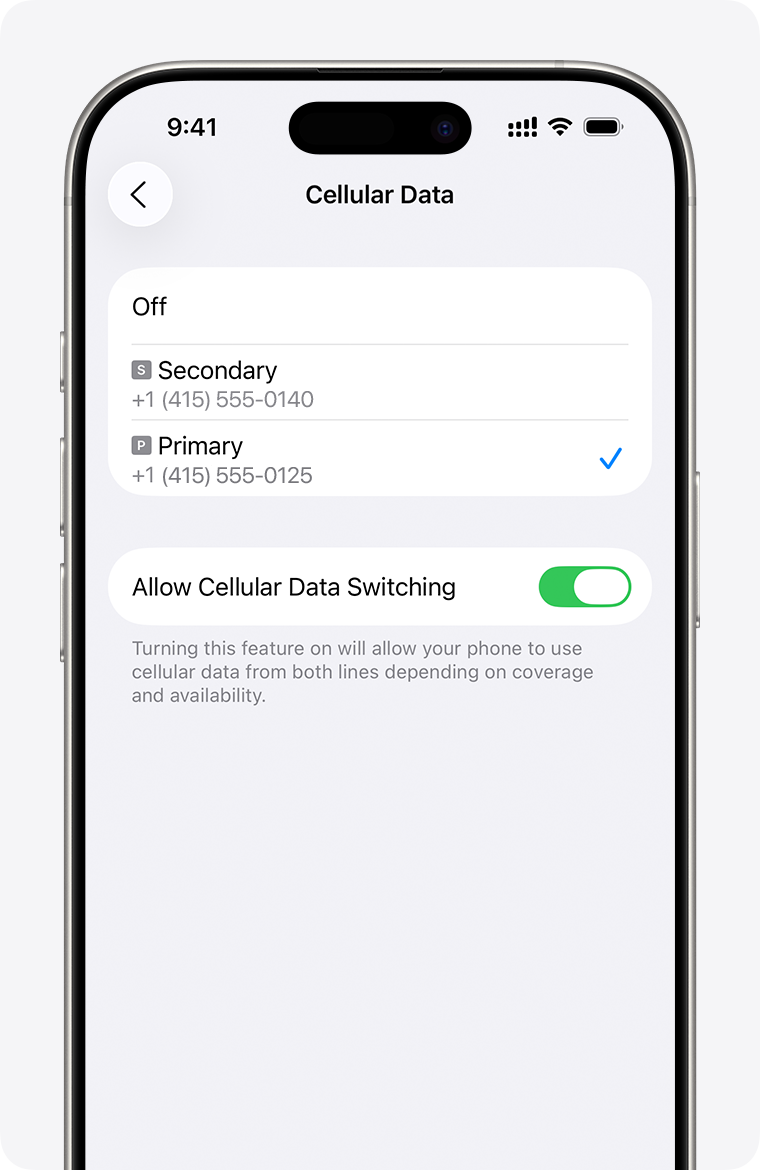
Check the selected data line first. An iPhone uses one cellular-data network at a time. This Apple Support screen contains no account or traveler information; checked 2 September 2026.
Do not delete an eSIM as an early troubleshooting step. Reinstallation may need the original QR code, provider account and a stable connection. The deeper network test is in [Does WhatsApp work in China?](/en/apps-blocked-in-china/); phone-number and SMS failures belong in the [travel without a Chinese number guide](/en/china-travel-without-chinese-phone-number/).
## Reach the hotel with no map connection
Your offline hotel card should show:
- the property name in Chinese;
- full Chinese street address;
- telephone number;
- booking number and the passport spelling used for the reservation;
- nearest metro station and exit;
- one recognizable landmark.
If ride-hailing does not recover, use the airport or station's official taxi queue. Show the Chinese address before the car leaves. Do not accept an unsolicited ride from someone approaching inside the terminal.
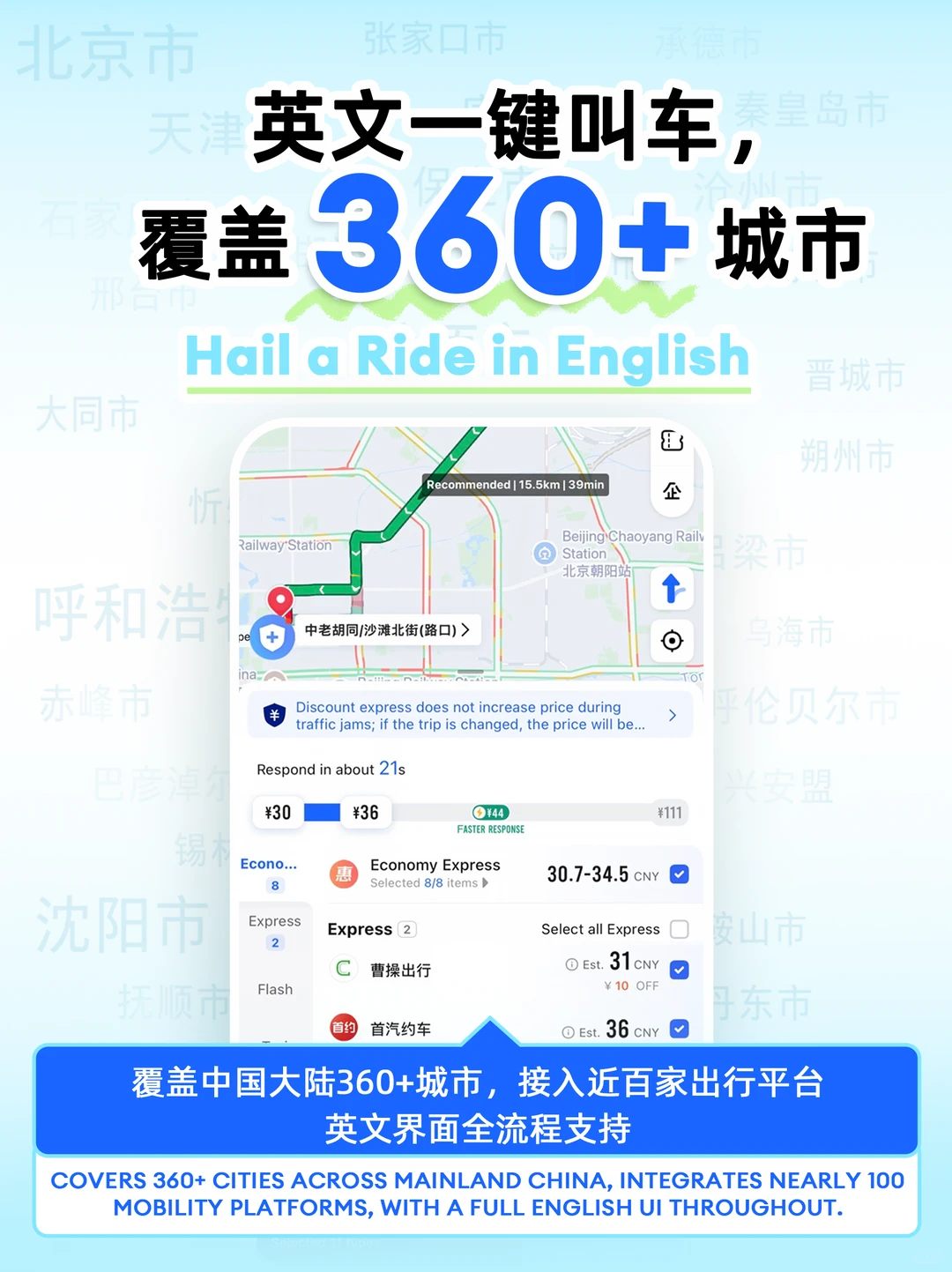
Save the pickup zone and destination before walking outside. AMap Global interface from AMap's official account, published 21 August 2026; no rider information is shown.
If the driver calls and you cannot communicate, use the in-app translated message or show staff the pickup screen. Verify the plate and vehicle before boarding.
## Pay when the QR code will not load
Official visitor guidance lists mobile payment, bank cards and RMB cash as separate payment routes. Availability still depends on the merchant and card network, so do not treat a physical Visa or Mastercard as universal acceptance.
At a checkout:
1. Ask whether the merchant wants you to **scan their code** or **show your payment code**.
2. If the wallet is spinning, switch from Wi-Fi to working cellular data or the reverse.
3. If one linked card is declined, use a card from another issuer.
4. Look for the network logo before presenting a physical card.
5. Use RMB cash for the immediate purchase when the digital flow remains blocked.
6. Contact the issuing bank after you have moved out of the queue.
A companion can pay a merchant on your behalf, but person-to-person transfers and personal collection codes can have different restrictions. The full independent setup is in the [China payment backup plan](/en/pay/china-payment-backup/).
## Enter or exit the metro when the app fails
Before entry, the cleanest fallback is a single-journey ticket, an accepted physical bank card at a marked gate, or a local transit card where offered. Payment methods differ by city; read the station signs or ask the service center.
After entry, keep the same payment medium for exit. If you entered with an Alipay transport QR and the phone dies, do not tap a different bank card at the exit gate. Go to the staffed counter and explain which app or method you used to enter.
Useful text to show:
> 我用这个乘车码进站了,但是手机没电了。请问怎么出站?
> I entered with this transport QR, but my phone has died. How can I exit?
Community posts repeatedly describe station staff helping with a dead phone, but the exact fare adjustment and proof required vary by city and system. Staffed assistance is the stable action; a specific free exit or charger is not guaranteed.
## Board a train when the booking screen is unavailable
For China Railway, carry the original passport used for the ticket. Official guidance says foreign travelers can enter and exit a railway station through an automatic or manual gate with the original valid identity document used to buy the ticket.
An itinerary screenshot helps staff find the train number and booking, but it does not replace the passport. Use the staffed/manual lane if the automatic gate does not read the document. Do not wait until the departure gate is closing to solve an account-login problem.
For a domestic flight, go to the airline desk with the original passport. Airline procedures differ, so a saved booking number and flight number are useful even when the app is not.
## What screenshots help—and what screenshots cannot do
| Save offline | Why it helps | Important limit |
|---|---|---|
| Hotel name, Chinese address and phone | Driver, station or hotel staff can read it | A map screenshot does not update for closures or a wrong pin |
| Flight or train number and booking reference | Staff can locate the booking | The original passport is still required where identity is checked |
| Arrival-card confirmation | Keeps the submitted record reachable | Follow the official port process if officers need a live resubmission |
| Attraction booking and support contact | Shows order details | A time-changing entry QR may need the live app |
| Metro route, station and exit | Lets you navigate after the signal drops | A screenshot of a dynamic transport QR is not a spare ticket |
| eSIM QR and provider instructions | Supports recovery on staffed Wi-Fi | Some QR codes are single-use; do not delete the installed plan casually |
## Build the offline pack before the flight
Put the essentials in one phone folder and one separate physical place.
**On the phone**
- first hotel card in Chinese;
- booking references and passport-name spelling;
- route from the airport to the hotel;
- eSIM instructions and support contact;
- insurer and consular contacts;
- emergency numbers: police 110, ambulance 120, fire 119.
**Away from the phone**
- original passport;
- a physical card from a different issuer than the primary wallet card;
- useful RMB notes;
- hotel name and address on paper;
- charging cable and a power bank that meets the rules for your actual itinerary.
The [power-bank and CCC checker](/en/china-power-bank-3c-checker/) covers Chinese domestic transport constraints. Do not assume a battery backup fixes a lost phone, locked wallet or suspended eSIM.
## Ten-minute failure drill
Before departure, turn off Wi-Fi and confirm the travel line can be selected for data. Then put the phone in airplane mode and check whether you can still find:
1. your hotel card;
2. the first airport route;
3. one payment backup;
4. passport-linked booking numbers;
5. the provider, bank and insurance support contacts.
If one of those exists only inside a logged-in app, export or write down the information that a staffed counter would need. Do not screenshot sensitive card details or store passport copies in a public photo album.
## Evidence boundary
The Bing export provides one exact no-internet metro query; the wider cross-topic recovery demand is an inference from related AMap, payment, eSIM and blocked-app searches. Xiaohongshu and Zhihu supplied usability questions such as payment-code loading and dead-phone exits. Official government, transport, Apple and app-store sources determine the instructions above.
## Official sources
- [China State Council — Guide to Working and Living in China](https://english.www.gov.cn/2025special/bizexpatsinchina2025)
- [Payment service guide for overseas visitors](https://english.www.gov.cn/news/202404/11/content_WS6617c858c6d0868f4e8e5f4d.html)
- [Shanghai Government — How to take the metro](https://english.shanghai.gov.cn/en-Individuals-Transportation-Metro/20260813/f257d5c373db4da3a8bde717b9f46b27.html)
- [Apple Support — Using Dual SIM with an eSIM](https://support.apple.com/en-us/109317)
- [AMap Global — official Google Play listing](https://play.google.com/store/apps/details?id=com.autonavi.minimap)